



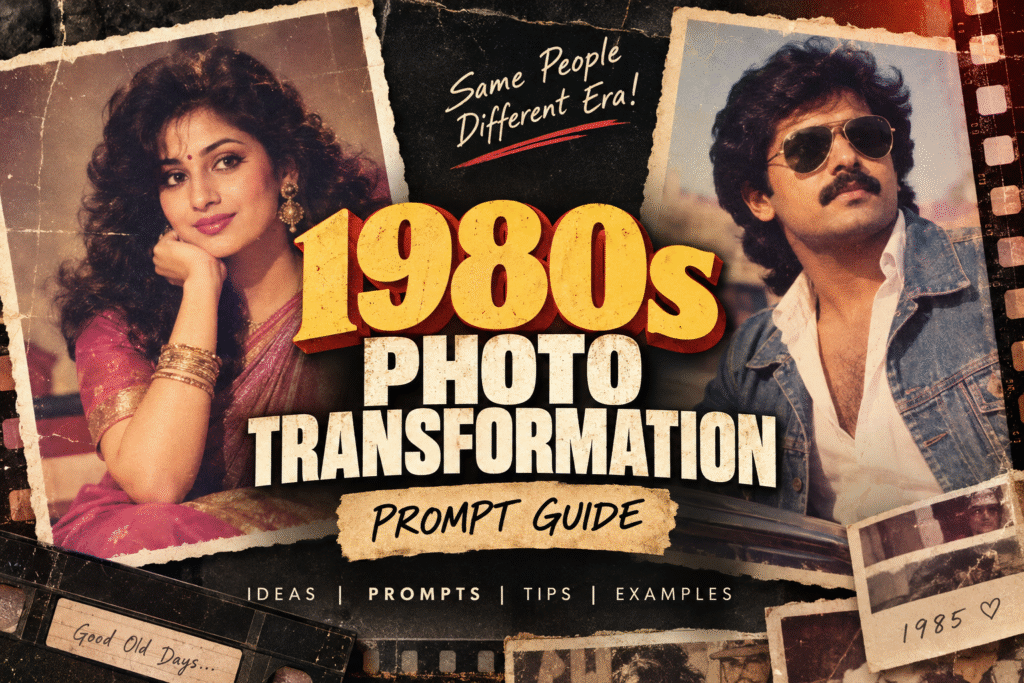
Bring Your Photos Back to the 80s
The 1980s had a visual language of its own — big hairstyles, bold fashion, dramatic cinema, warm studio lighting, expressive poses, analog film grain, and photographs that felt imperfect in all the right ways.
This guide is a collection of carefully designed AI image-editing prompts that transform modern photographs into authentic-looking 1980s portraits while keeping the original person recognizable.
From classic Indian cinema heroes and heroines to wedding portraits, college photographs, family albums, fashion editorials, business portraits, and nostalgic “found photographs,” these prompts are designed to help recreate the look and atmosphere of the era.
The goal is not simply to apply a vintage filter.
The goal is to make the photograph feel as though it was actually captured in the 1980s.
How to Use These Prompts
Table of Contents
ToggleStep 1 — Choose Your Reference Photo
Start with a clear photograph of the person you want to transform.
For the best results:
- Use a sharp, well-lit photograph.
- Make sure the face is clearly visible.
- Front-facing or three-quarter portraits generally work best.
- Avoid heavily filtered or extremely low-resolution images.
- Use a photo where the person’s important facial features are not covered.
Upload the photograph as the reference image before using the prompt.
Step 2 — Choose a Concept
Select a visual concept from this guide based on the look you want.
For example:
Female:
1980s Bollywood heroine, vintage bride, college girl, fashion model, Doordarshan presenter, disco queen, traditional South Indian portrait.
Male:
1980s mass hero, police officer, romantic hero, businessman, college rebel, wedding groom, detective, rock star.
Step 3 — Copy the Complete Prompt
Copy the entire prompt rather than only the styling keywords.
Each prompt contains instructions for:
- Identity preservation
- Hairstyle
- Clothing
- Makeup and accessories
- Environment
- Lighting
- Camera aesthetic
- Film characteristics
- Composition
- Period authenticity
Step 4 — Use the Reference Image
When the AI tool supports image references, make sure the uploaded photograph is treated as the primary identity reference.
The person’s face should remain recognizable while the styling and environment are transformed.
Step 5 — Refine if Necessary
If the first result changes the person’s face too much, run the prompt again with additional identity-preservation instructions.
You can add:
Preserve the person’s identity with maximum fidelity. Do not reshape, beautify, age, de-age, or replace the face. Keep the original facial proportions and recognizable characteristics unchanged.
If the result looks too modern, add:
Remove all contemporary styling. Make the clothing, hairstyle, accessories, lighting, camera characteristics and environment authentically period-correct for the 1980s.
If the result looks too much like an artificial vintage filter, add:
Do not apply a simple retro filter. Recreate the photographic characteristics of an actual 1980s analog camera, including natural film grain, lens softness, color response, exposure imperfections and subtle photographic aging.
The Golden Rule: Preserve the Person, Transform the Era
The most important instruction in every prompt is identity preservation.
The AI should change the:
Hair → Clothing → Makeup → Accessories → Background → Lighting → Pose → Camera aesthetic → Film characteristics
But it should preserve:
Face → Facial structure → Eyes → Nose → Lips → Jawline → Skin tone → Recognizable features → Personal identity
Think of the transformation as:
Same Person + Different Era = 1980s Photograph
Not:
Different Person + Retro Filter = 1980s Photograph
How to Make the Result Look Truly 1980s
A convincing 1980s photograph requires more than changing the clothes.
1. Hair
Use period-appropriate hairstyles such as:
- Voluminous feathered hair
- Big soft curls
- Side-parted hairstyles
- Layered hairstyles
- Natural hair volume
- Classic moustache styles for men
Avoid modern fades, contemporary styling, overly perfect hair and current salon aesthetics unless the concept specifically calls for them.
2. Clothing
Think about what would realistically have been photographed during the period.
For women:
- Silk sarees
- Traditional sarees
- Salwar kameez
- Vintage blouses
- Bold 80s fashion
- Classic Indian bridal clothing
- Period-appropriate western fashion
For men:
- Wide-collar shirts
- High-waisted trousers
- Flared trousers
- Blazers
- Traditional kurtas
- Vintage formalwear
- Classic Indian cinema styling
3. Accessories
Small details can dramatically improve authenticity.
Consider:
- Gold jewelry
- Large earrings
- Bangles
- Vintage wristwatches
- Aviator sunglasses
- Leather belts
- Traditional jewelry
- Spectacles
- Vintage cameras
- Rotary telephones
- Old luggage
- Period-appropriate props
4. Lighting
Modern digital photography often looks too clean.
For an authentic 80s appearance, experiment with:
- Warm tungsten lighting
- Direct camera flash
- Soft studio lighting
- Natural window light
- Strong directional lighting
- Cinematic backlighting
- Slightly overexposed highlights
5. Film Characteristics
This is one of the most important parts of the transformation.
Use descriptions such as:
- 35mm analog film
- Natural film grain
- Soft-focus lens
- Slight halation
- Subtle lens imperfections
- Faded colors
- Mild exposure variation
- Slight color shifts
- Realistic photographic texture
- Soft highlights
- Natural skin texture
Avoid excessive grain or artificial scratches. Too much “old photo” damage can make the result look like a filter rather than a genuine photograph.
Identity Preservation — Recommended Master Instruction
For difficult transformations, add this paragraph to the end of your prompt:
Preserve the referred person’s identity with maximum fidelity. Keep the original facial structure, facial proportions, eyes, nose, lips, jawline, skin tone and recognizable characteristics unchanged. Do not replace the face with a generic face. Do not beautify, reshape, slim, enlarge or otherwise modify the facial features. Transform only the styling, clothing, hairstyle, environment, lighting, pose and photographic characteristics.
Making AI Results More Photorealistic
If the generated image looks artificial, add:
Photorealistic human anatomy, natural skin texture, realistic hair strands, believable fabric texture, physically accurate lighting, natural shadows, authentic photographic depth, realistic facial details and genuine analog camera characteristics.
Avoid asking for excessive perfection.
Real photographs contain small imperfections.
A slightly soft focus, subtle exposure variation, natural skin texture and imperfect framing can actually make the image feel more authentic.
Avoid the “Retro Filter” Look
One of the biggest mistakes when creating an 80s transformation is simply adding:
sepia + grain + faded colors
That creates a modern photograph pretending to be old.
Instead, transform the entire visual context.
Change:
Fashion + Hair + Environment + Props + Lighting + Camera + Film + Composition
When all of these elements belong to the same period, the photograph becomes much more convincing.
Recommended Prompt Structure
The prompts in this guide generally follow this formula:
1. Transformation
What should the person become?
2. Identity Preservation
What facial characteristics must remain unchanged?
3. Styling
Hair, clothing, makeup, accessories and grooming.
4. Environment
Where was the photograph supposedly taken?
5. Composition
Portrait, full-body, close-up, low angle, candid, studio photograph, etc.
6. Lighting
Tungsten, flash, natural light, dramatic cinema lighting, etc.
7. Photography
35mm film, soft-focus lens, analog characteristics, film grain.
8. Authenticity
Period-correct details and avoidance of modern elements.
Quick Troubleshooting
The face looks like a different person
Add:
Maximum identity preservation. Keep the original face and facial proportions unchanged. Do not reinterpret the person’s facial features.
The image looks too modern
Add:
Remove contemporary photography characteristics, modern fashion, modern hairstyles and digital-camera sharpness. Make every visual element period-authentic to the 1980s.
The image looks too much like an Instagram filter
Add:
Do not use a simple vintage filter. Recreate an authentic analog photograph captured with a professional 35mm film camera in the 1980s.
The image is too artificial
Add:
Natural skin texture, realistic hair, physically accurate lighting, subtle imperfections, authentic photographic depth and realistic analog film characteristics.
The clothing doesn’t look authentic
Specify the exact period and region.
For example:
Authentic Indian fashion from approximately 1985–1988, with period-correct fabrics, silhouettes, accessories and styling.
The result is too damaged
Reduce:
heavy scratches, extreme fading, excessive dust, severe film damage
and instead use:
subtle film grain, mild color fading and natural analog imperfections.
Final Tip
The best 1980s transformations are not necessarily the most exaggerated ones.
A convincing photograph should make someone think:
“Wait… was this actually taken in the 80s?”
rather than:
“This has an 80s filter on it.”
Focus on period authenticity, identity preservation and realistic photography. The combination of these three elements creates the strongest results.
Now choose a concept, upload your reference photograph, copy the corresponding prompt, and let the transformation begin