




In an increasingly visual world, the demand for video content in business, education, and even internal communication has skyrocketed. Yet, the barrier to entry for creating high-quality, engaging videos has remained high, often requiring specialized skills, expensive software, or outsourcing. Enter Google Vids, Google’s latest innovation within the Workspace suite, poised to democratize video creation and empower anyone to become a compelling storyteller.
What is Google Vids?
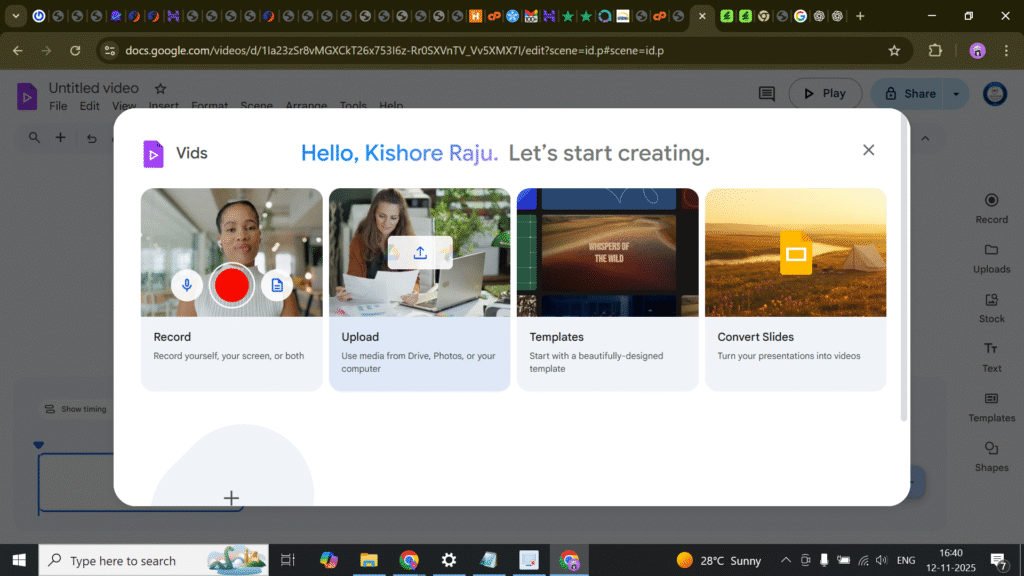
Google Vids is an AI-powered video creation application seamlessly integrated into Google Workspace, sitting alongside familiar tools like Docs, Sheets, and Slides. Its core mission is to enable individuals and teams, regardless of their video editing expertise, to produce professional-looking, impactful videos for a wide range of purposes. From internal training modules and marketing explainers to project updates and personalized messages, Google Vids aims to make video creation as intuitive as drafting a document.
The Power of AI-Assisted Storytelling
At the heart of Google Vids is its sophisticated AI, powered by Google’s Gemini models. This intelligent assistant takes on the heavy lifting of video production, transforming a simple prompt into a structured and visually rich narrative.
- From Idea to First Draft in Minutes: The process often begins with a text prompt. Imagine needing a video to onboard new employees to your company’s expense policy. You might input: “Create an engaging training video for new hires explaining our company’s expense report submission process, including common pitfalls and best practices.”
The AI then gets to work, performing several critical steps:
- Storyboard Generation: It breaks down your prompt into a logical sequence of scenes, outlining the key points to be covered in each segment.
- Scriptwriting: A comprehensive script is automatically drafted, complete with narration for each scene, ensuring clarity and conciseness.
- Media Curation: Leveraging Google’s vast library of stock videos, images, and audio tracks, the AI intelligently selects relevant media to visually represent the script’s content. It can identify appropriate visuals for “expense report,” “submission,” “best practices,” and so on.
- Initial Assembly: All these elements are then combined into a cohesive first draft of your video, ready for review and refinement.
This AI-driven initial assembly drastically reduces the time and effort traditionally spent on planning, scriptwriting, and searching for suitable media, allowing users to focus on polishing the message rather than grappling with complex software.
Key Features that Elevate Your Video Creation
Beyond its foundational AI capabilities, Google Vids boasts a suite of features designed to offer flexibility, personalization, and professional polish:
- Intuitive, Scene-Based Editor: Unlike traditional non-linear editors that can be daunting, Google Vids offers a user-friendly, scene-by-scene interface. Users can easily rearrange scenes, swap out media, edit text, add voiceovers, and apply transitions with simple drag-and-drop functionality.
- Rich Media Library: Access to a curated collection of high-quality stock videos, images, and royalty-free music ensures that even without your own footage, your videos look polished and engaging.
- Recording Studio Capabilities: For more personalized content, Google Vids includes an integrated recording studio. Users can record their webcam, screen, or both simultaneously, making it ideal for creating software tutorials, personalized messages, or presentations with a human touch.
- AI Narration & Avatars: Don’t want to record your own voice? No problem. Type your script, and choose from a selection of AI-generated voices to narrate your video. For an even more dynamic presentation, you can select an AI-powered avatar to act as your on-screen presenter, adding a professional face to your message.
- Customization Through Templates and Styles: Google Vids offers a variety of professional templates and visual styles. These pre-designed frameworks ensure brand consistency and give your videos a polished look from the outset, allowing you to focus on the content.
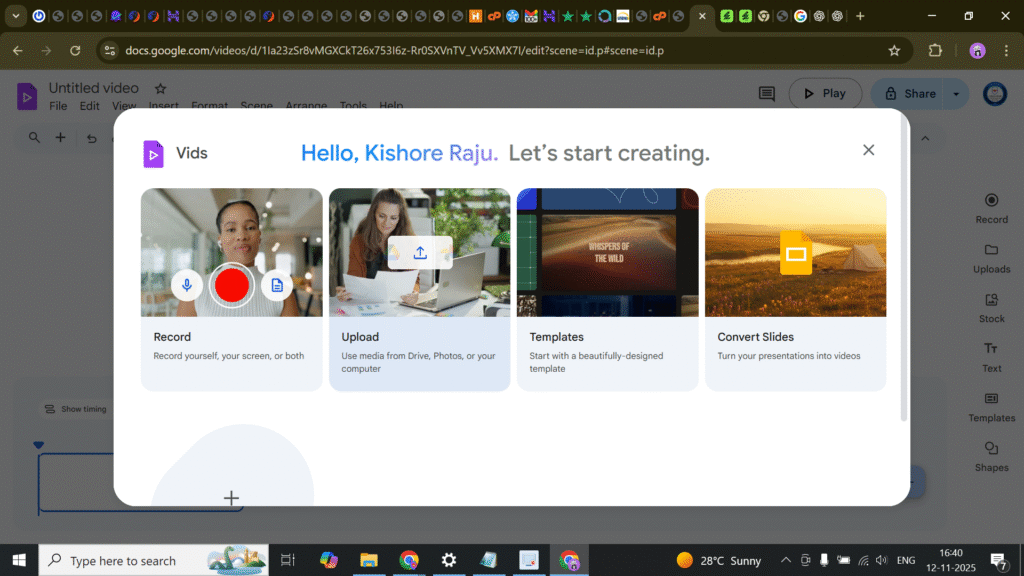
- Seamless Google Workspace Integration: As part of the Workspace ecosystem, Vids integrates deeply with other Google applications. You can easily import content from Google Slides, leverage documents from Drive, and share your video projects for collaborative editing, mirroring the collaborative experience of Docs and Sheets.
- Real-time Collaboration: Multiple users can work on the same video project simultaneously, leaving comments, making edits, and providing feedback in real-time. This fosters team efficiency and ensures that videos are aligned with collective goals.
Who Benefits from Google Vids?
Google Vids is set to be a game-changer for a broad spectrum of users within organizations:
- Marketing Teams: Quickly generate social media content, product explainers, ad creatives, and promotional videos without heavy reliance on dedicated video production teams.
- Sales Professionals: Create personalized video pitches, product demos, and follow-up messages that stand out in crowded inboxes.
- HR & Training Departments: Develop engaging onboarding videos, compliance training modules, policy explanations, and internal communication updates with ease.
- Educators: Craft compelling lesson introductions, lecture summaries, student project guidelines, and engaging educational content.
- Project Managers & Team Leads: Create quick project updates, status reports, and instructional videos for team members, improving clarity and efficiency.
- Anyone with a Story to Tell: Ultimately, Google Vids empowers individuals across all departments to communicate more effectively and engagingly through video.
The Future of Workplace Communication
Google Vids represents a significant step forward in making sophisticated creative tools accessible to the masses. By leveraging AI to automate the laborious initial stages of video production and providing an intuitive editing experience, Google is breaking down the barriers to video creation.
As organizations continue to embrace hybrid work models and digital-first communication strategies, the ability to quickly produce high-quality video content will no longer be an advantage but a necessity. Google Vids is poised to be the essential tool that enables this transformation, empowering every Workspace user to communicate with clarity, creativity, and impact. It’s more than just a video editor; it’s a strategic communication enabler, making complex ideas digestible and mundane information engaging, one AI-generated video at a time.